
BUDS Program Installation Guide PDF | BRP Diagnostic Software Setup Manual
Step-by-step installation guide for BUDS diagnostic software for BRP vehicles.
This manual explains how to properly install the BUDS program on a Windows PC, configure drivers, connect MPI interface and prepare the system for ECU diagnostics and service operations.
Manual content
Overview
This guide describes the complete installation process of the BUDS (BRP Utility Diagnostic Software) program used for diagnostics, configuration and service operations on BRP vehicles including Sea-Doo, Ski-Doo, Can-Am ATV, SSV and Roadster models.
The manual covers:
• system requirements for installing BUDS software
• preparation of the Windows operating system
• installation of required USB drivers for MPI diagnostic interfaces
• step-by-step software installation procedure
• first launch and configuration
• connection of MPI-2 / MPI-3 interface
• troubleshooting common installation problems
Correct installation of BUDS software is essential for stable communication with vehicle electronic control modules (ECM) and for performing diagnostic procedures such as reading fault codes, configuration updates and firmware programming.
This document is intended for workshops, service technicians, dealers and private BRP vehicle owners who need professional diagnostic capabilities.
1. All necessary software (B.U.D.S.) you can download.
2. Start the installation of the program by double-clicking on the downloaded file (BUDS x.x.x.exe).
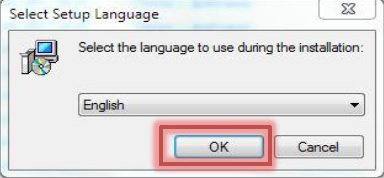
3. Select the installation language and click "OK".
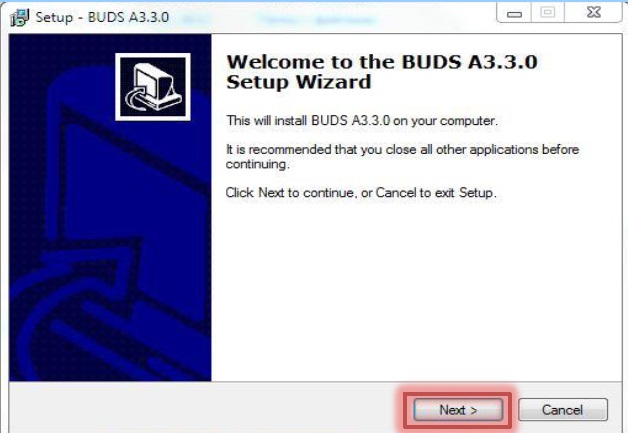
4. Follow the instructions and click "Next >".
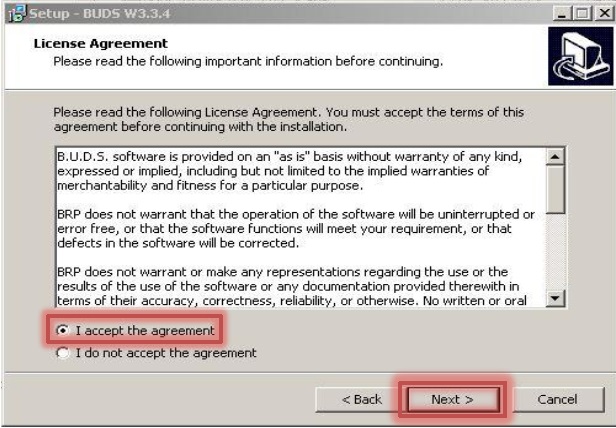
5. Carefully read the license agreement, then put the point in the right place and click "Next > ".
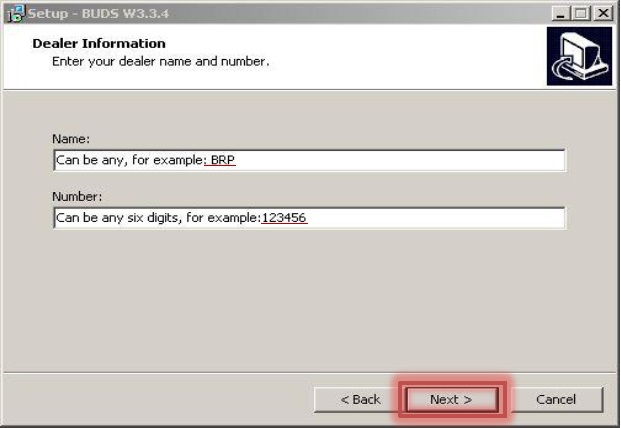
6. Type the "Name" and "Number" of the dealer and click "Next > ".
If you are not a dealer, you can specify any name and number.
These data will only appear on the report of diagnosis, if you want to print a report.
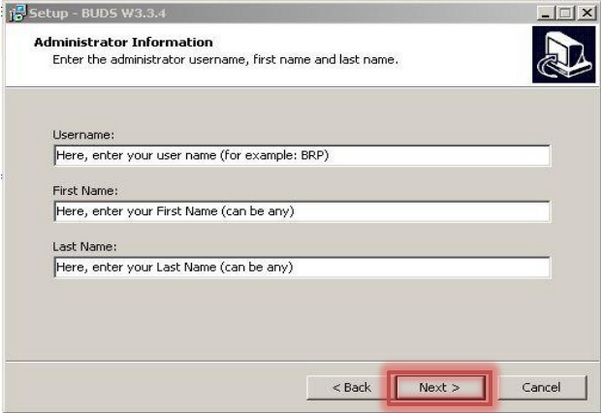
7. Specify your details. These data will appear in the report, if you wish print a diagnostic report.
1) Username to log into the program.
2) Your First Name (can be any).
3) Your Last Name (can be any).
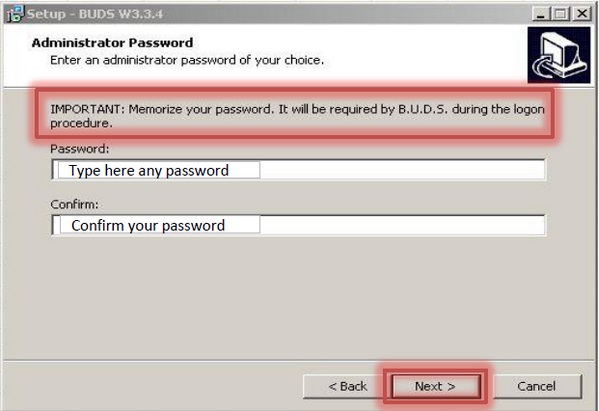
8. Specify your password to log into the program and click "Next >".
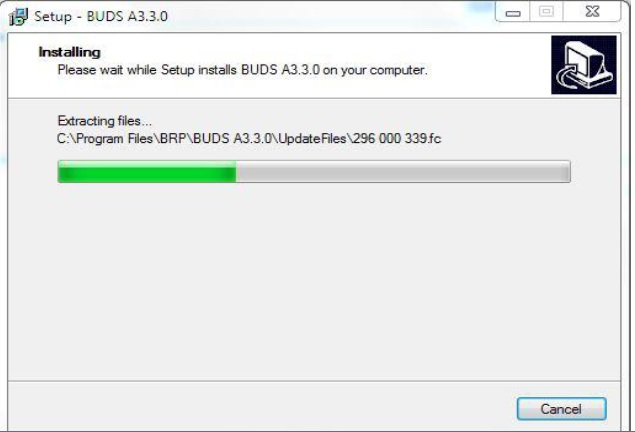
9. The installation process starts.
The next step - to install a license key.
You need the administrator privileges in order to successfully install B.U.D.S. on Windows NT, Windows 2000 or Windows XP.