
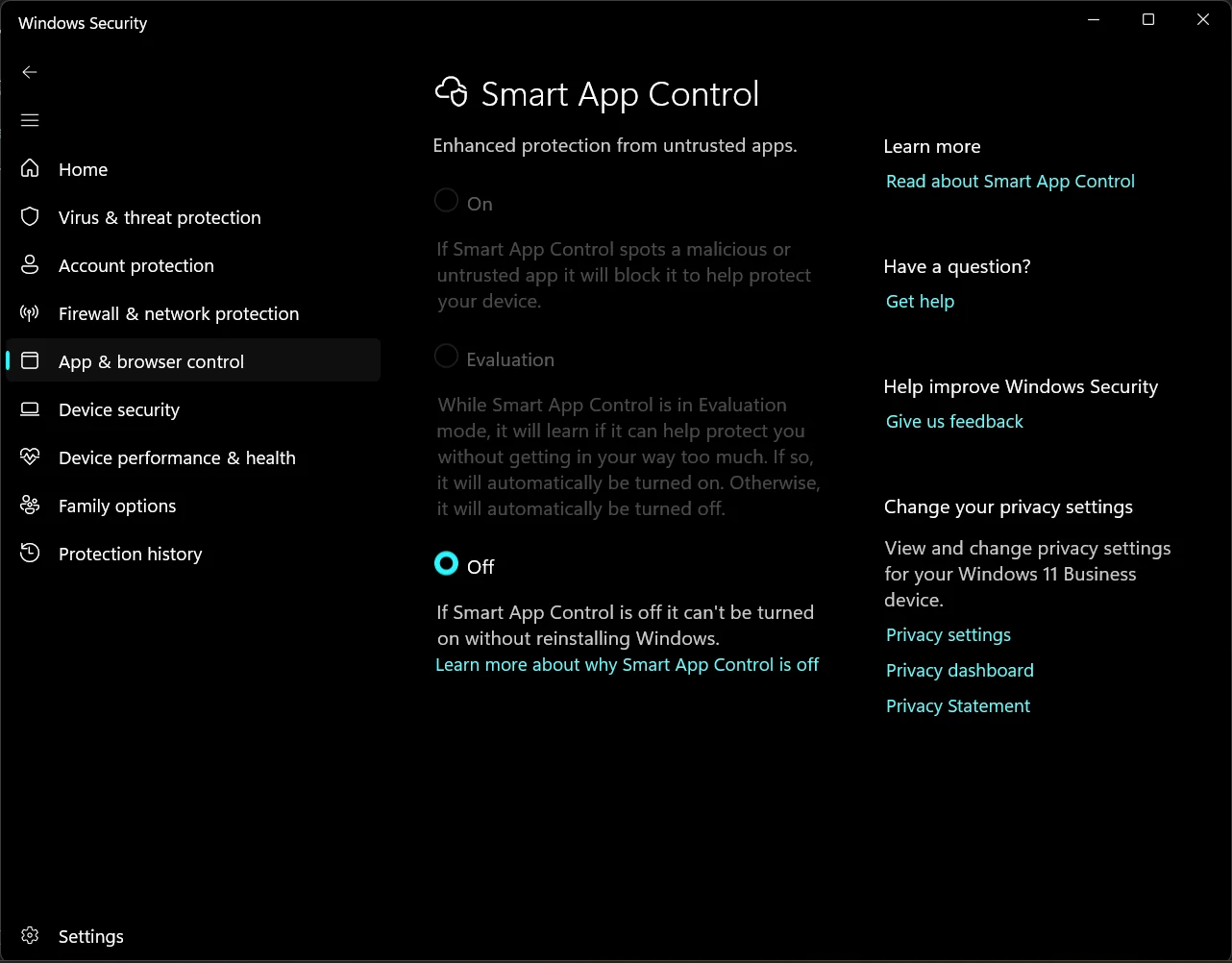
How to Disable Smart App Control in Windows 11 to Install BUDS3
Overview
When installing BRP diagnostic software (BUDS3) on Windows 11, you may encounter a security notification stating that the application has been blocked by Smart App Control.
Smart App Control is a built-in Windows 11 security feature designed to prevent potentially malicious or untrusted applications from running. It checks applications using Microsoft's cloud-based reputation service and digital signature verification.
In some cases, legitimate software installers may also be blocked if Windows cannot verify their reputation or digital signature.
If Windows Smart App Control blocks your BUDS3 installer, follow the instructions below to disable this feature.
How to Disable Smart App Control
Step 1. Open Windows Security
Open the Windows Start menu, type Windows Security, and launch the application.
Step 2. Open App & browser control
In the Windows Security window, select App & browser control from the left-hand navigation menu.
Step 3. Access Smart App Control settings
On the right side of the window, locate and click Smart App Control settings.
Step 4. Turn Smart App Control Off
Select the Off option to disable Smart App Control.
Step 5. Run the BUDS3 installer
After disabling Smart App Control, locate your BUDS3 installation file (for example, BUDS3Setup_...exe) and run it again.
The installer should now be able to launch without being blocked by Smart App Control.
Important Security Notice
Disabling Smart App Control reduces one layer of Windows security protection.
Before proceeding, make sure that your BUDS3 installation file was obtained from a trusted source.
Please note that the ability to re-enable Smart App Control depends on your Windows version and installed updates. On older Windows 11 versions, restoring this feature may require resetting or reinstalling Windows. Recent updates have introduced support for re-enabling it on supported systems.
We recommend disabling this feature only when necessary and keeping Microsoft Defender and other security protections enabled.
Applicable to: Windows 11
Software: BRP BUDS3 Diagnostic Software
Purpose: Resolving Smart App Control installation blocking issues.